Docs menu
Getting started
Install and run your first test Point-and-click test creation Element tests vs URL split testsPrivacy and data
What the plugin storesSEO settings for URL tests
Canonical, noindex, or off - and why canonical is the default.
 Written by Aleksandar Simov · Updated · 2 min read
Short answer
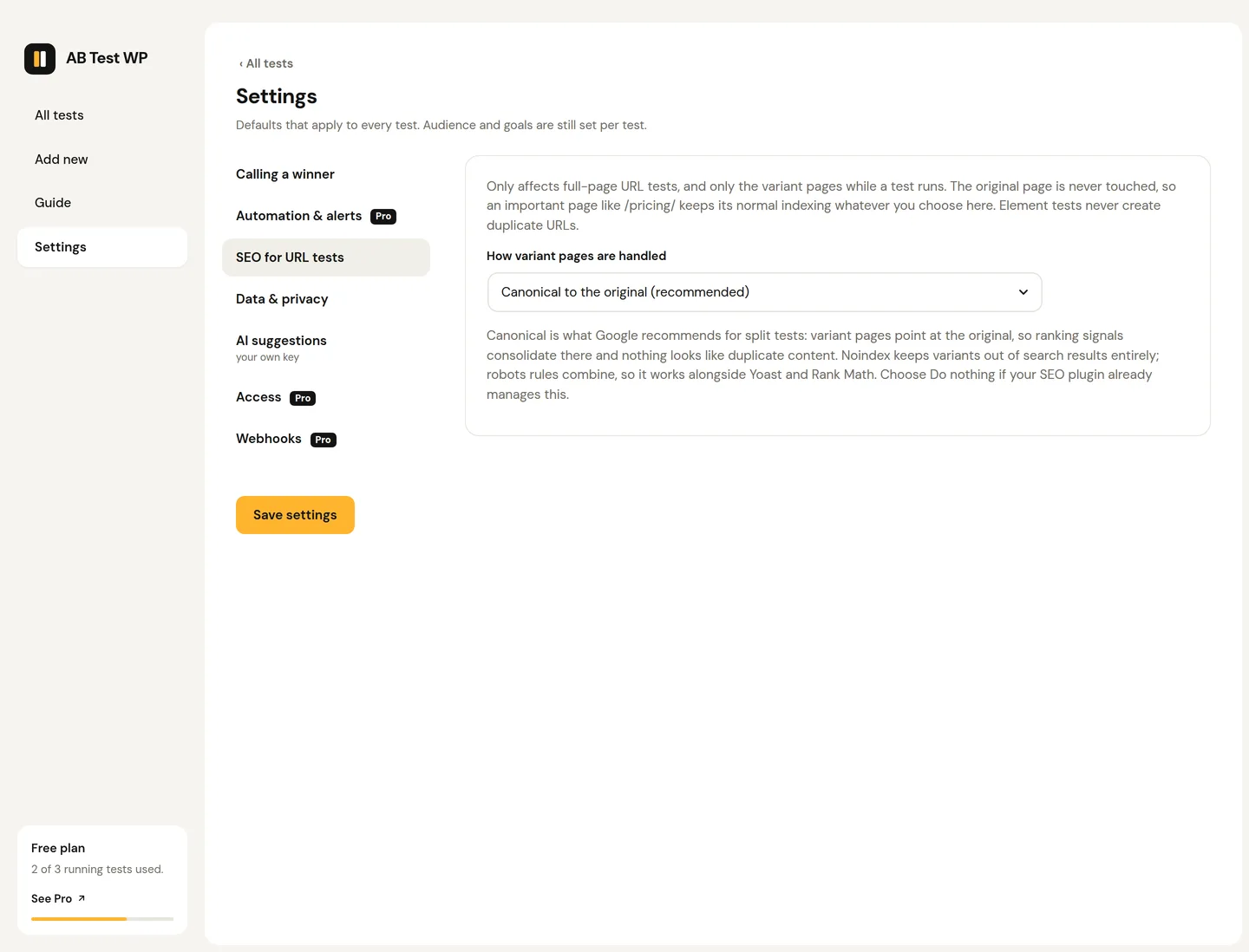
By default the variant page's canonical points at the original, which is Google's recommendation for A/B tests, so one page is indexed. In Settings you can switch variant pages to noindex, or turn the SEO handling off so your SEO plugin's tags apply; the setting is site-wide. Yoast, Rank Math, All in One SEO and SEOPress are supported.
Canonical by default
During a URL split test, the variant page could look like duplicate content. By default, AB Test WP points the variant's canonical at the original, which is Google's own recommendation for A/B tests, so search engines index one page and rankings consolidate.
Noindex or off
In Settings you can switch the SEO handling for variant pages to noindex (keep variants out of the index entirely) or turn it off; the choice is site-wide and applies to every URL test (AB Test WP adds no tags of its own, so whatever your SEO plugin outputs applies). It works with Yoast, Rank Math, All in One SEO, and SEOPress. Canonicals are not emitted across two sites.
Two more rules
Two more rules keep tests safe: never show crawlers a different experience than visitors, and end tests promptly. Keep the winner, remove or redirect the loser.
Want the longer read? See the split-URL testing guide on the blog, or browse all docs.
Common questions
Will a URL split test create duplicate content?
Not with the default setting: the variant's canonical points at the original, so search engines consolidate on one page.
Is the canonical added when the variant is on another site?
No. Canonicals are not emitted across two sites.
Which SEO plugins does it work with?
Yoast, Rank Math, All in One SEO and SEOPress. With the SEO handling set to off, whatever your SEO plugin outputs applies.
Was this page helpful? Yes · NoEdit or report a problem
Ready to test it yourself?
Free, cookieless, no traffic limits, on any builder or theme.