WooCommerce
A/B testing for WooCommerce
Test product pages, add-to-cart buttons, and checkout trust elements on your own server - cookieless, cache-friendly, and with no traffic limits, however big your catalog gets.
Why it fits stores
Built for how WooCommerce sites actually run
Cookieless
Variant assignment uses a random identifier kept in the shopper's browser, not a cookie. It goes only to your own server, and nothing about the shopper leaves your site.
Cache & CDN friendly
Stores live on full-page caching. Assignment happens in the browser, so the same cached HTML serves everyone.
No traffic limits
Campaign spikes and big catalogs don't cost extra - tests run on your server, so nothing is metered.
Flicker-free
The tested element stays hidden until the assigned variant is applied, so shoppers never see the original flash and switch.
What to test on a store
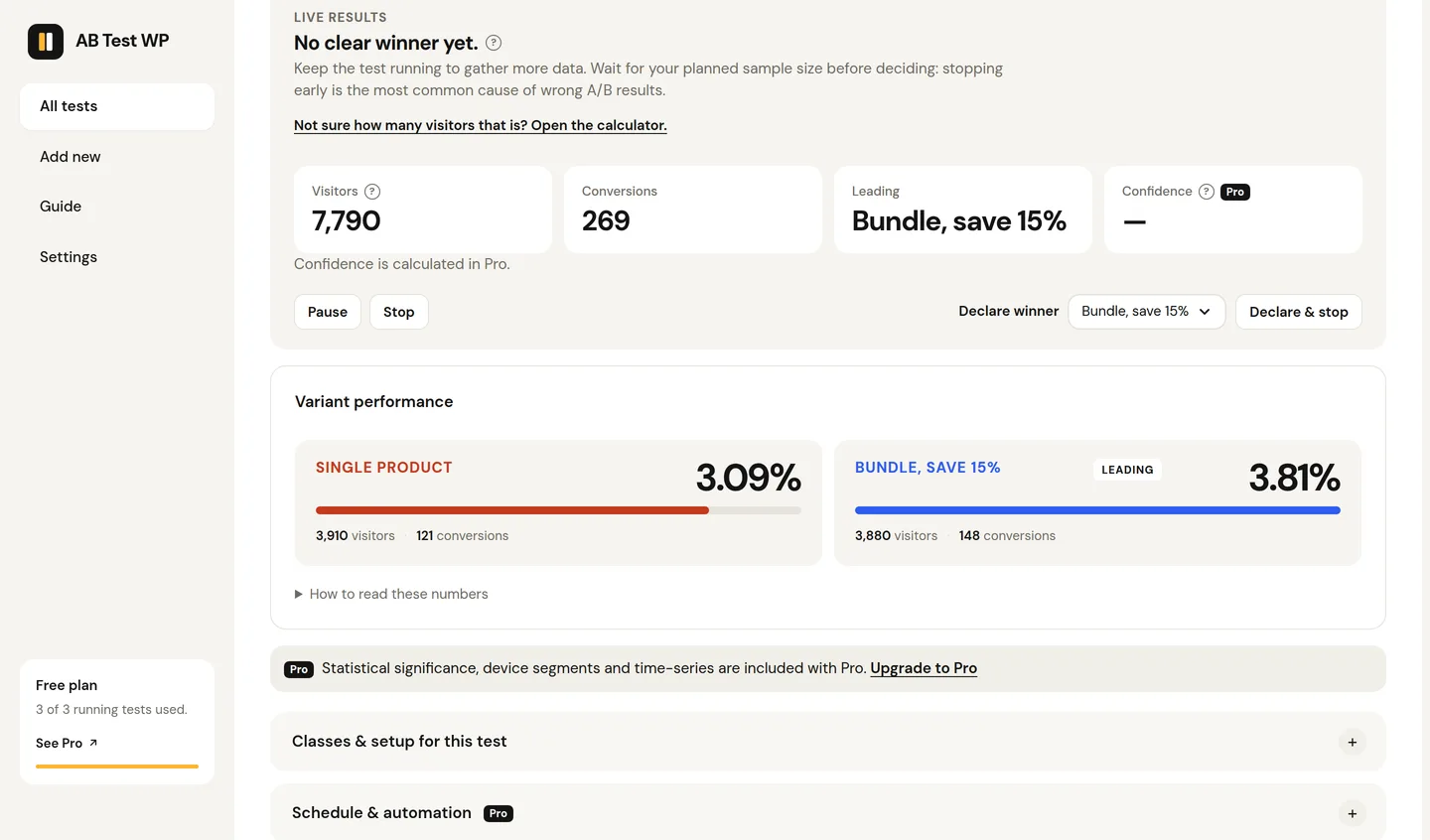
Product pages are the highest-leverage place to start: titles, the first product image, short descriptions, and trust badges near the price. Because element tests work by CSS class - or point-and-click - you can test these on any theme without rebuilding templates.
Add-to-cart buttons respond strongly to wording and prominence ("Add to cart" vs "Add to basket" vs "Buy now"), and an element-click goal measures them directly.
Checkout trust elements - payment badges, guarantee copy, delivery reassurance - are where hesitation happens. Test their presence and wording with the order-confirmation page as the goal.
For bigger swings, run a URL split test between two whole product or landing page layouts; canonicals are handled automatically so SEO stays safe.
Goals
Measuring conversions, free vs Pro
Add-to-cart and order-confirmation goals
Use the add-to-cart goal directly (it hooks WooCommerce's add-to-cart event and plain cart forms), or set the goal to a visit of your order-received page so completed purchases count as conversions - no Pro required (like every goal, each shopper counts once per test). Element-click and link-click goals cover CTA tests.
Purchase goal with revenue
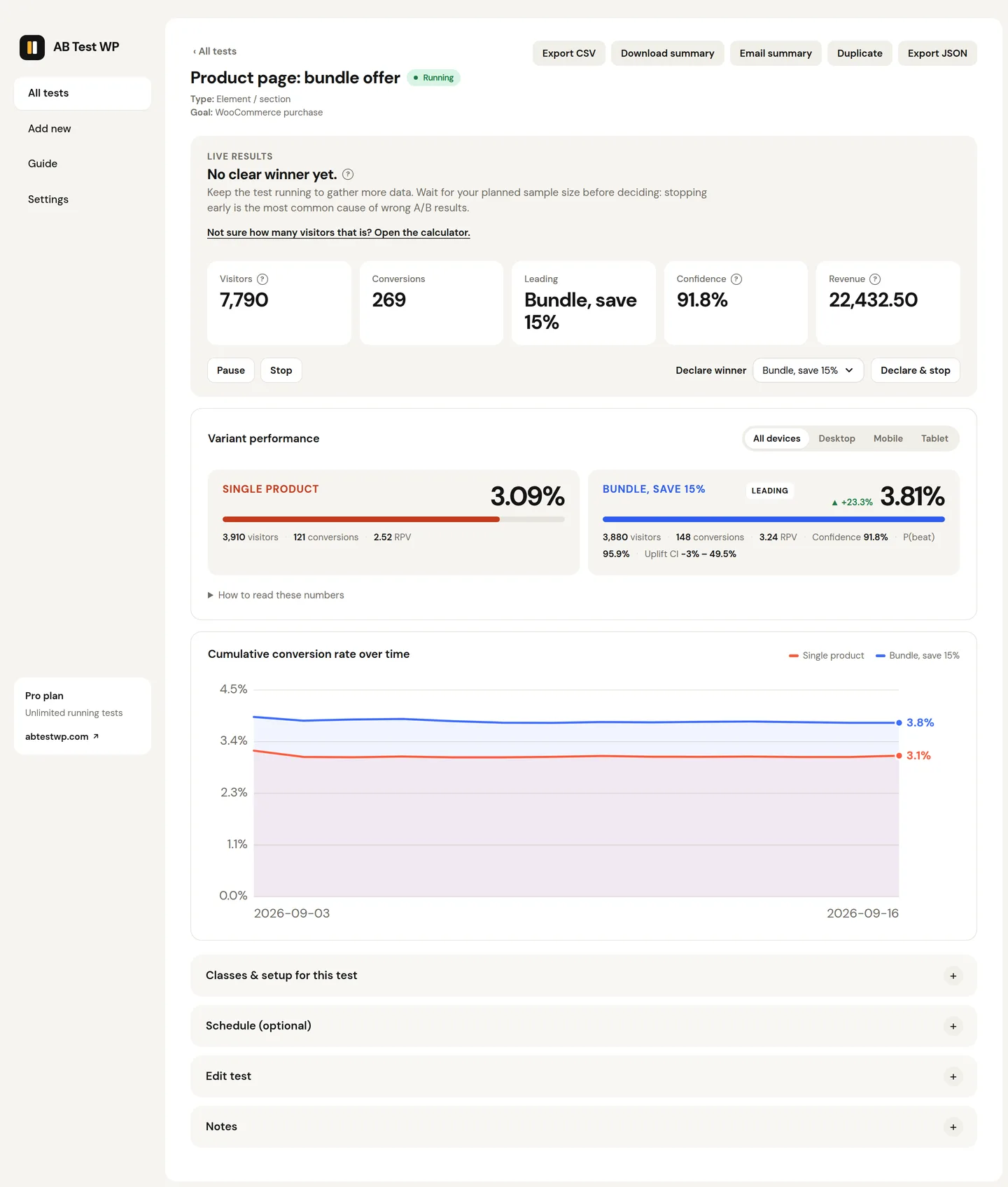
Pro attributes actual WooCommerce purchases - with revenue and revenue-per-visitor - to each variant, so a variant that sells fewer but bigger orders still gets credit. The goal fires on the order-received page, revenue is the order total, and it works with high-performance order storage. Plus significance, Bayesian probability, and SRM checks on the results.
Product price testing is not offered: test everything around the price, and let the revenue goal show which variant earns more.
FAQ
WooCommerce questions
Can I measure sales without Pro?
Yes - set the goal to a page visit of your order-received (thank-you) page and completed purchases count as conversions, or use the add-to-cart goal for the step before it. Pro adds the dedicated purchase goal with revenue and revenue-per-visitor attribution.
Does it work with full-page caching and a CDN?
Yes. Variant assignment happens in the shopper's browser, so cached pages work unmodified - no cache exclusions needed for the pages you test.
Can I test product prices?
No - price testing isn't offered. You can test everything around the price (copy, images, trust elements, layout), and Pro's revenue tracking shows which variant actually earns more.
Will testing slow my store down?
The visitor script is about 11 KB gzipped, loads deferred on every page so a cross-domain split test can still finish counting, and variant styling with anti-flicker rules is inlined with a failsafe timeout - shoppers never see the wrong version flash.
Sell more of what already sells
Free, cookieless testing on your own store - upgrade for revenue-per-variant when you're ready.