Features
Everything runs on your site.
Show two versions of any headline, button, section, or page to real visitors at the same time and measure which one converts better. Every page builder and theme, no cookies, no flicker, no traffic meter.
Two ways in
Creating tests
Paste a class into your builder, or point and click on the live page.
Element and section tests
On any page via a simple CSS class. Works with every builder and theme.
Point-and-click creation
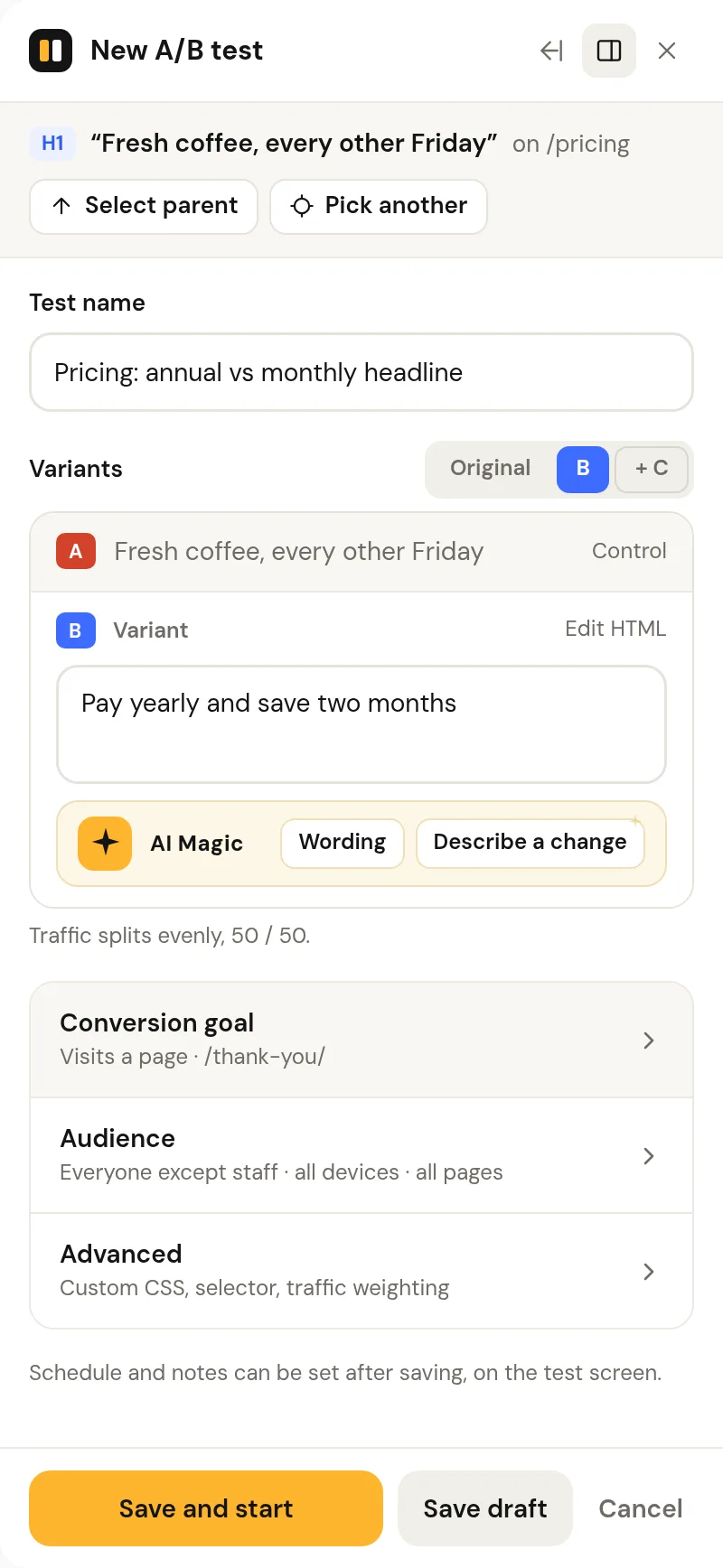
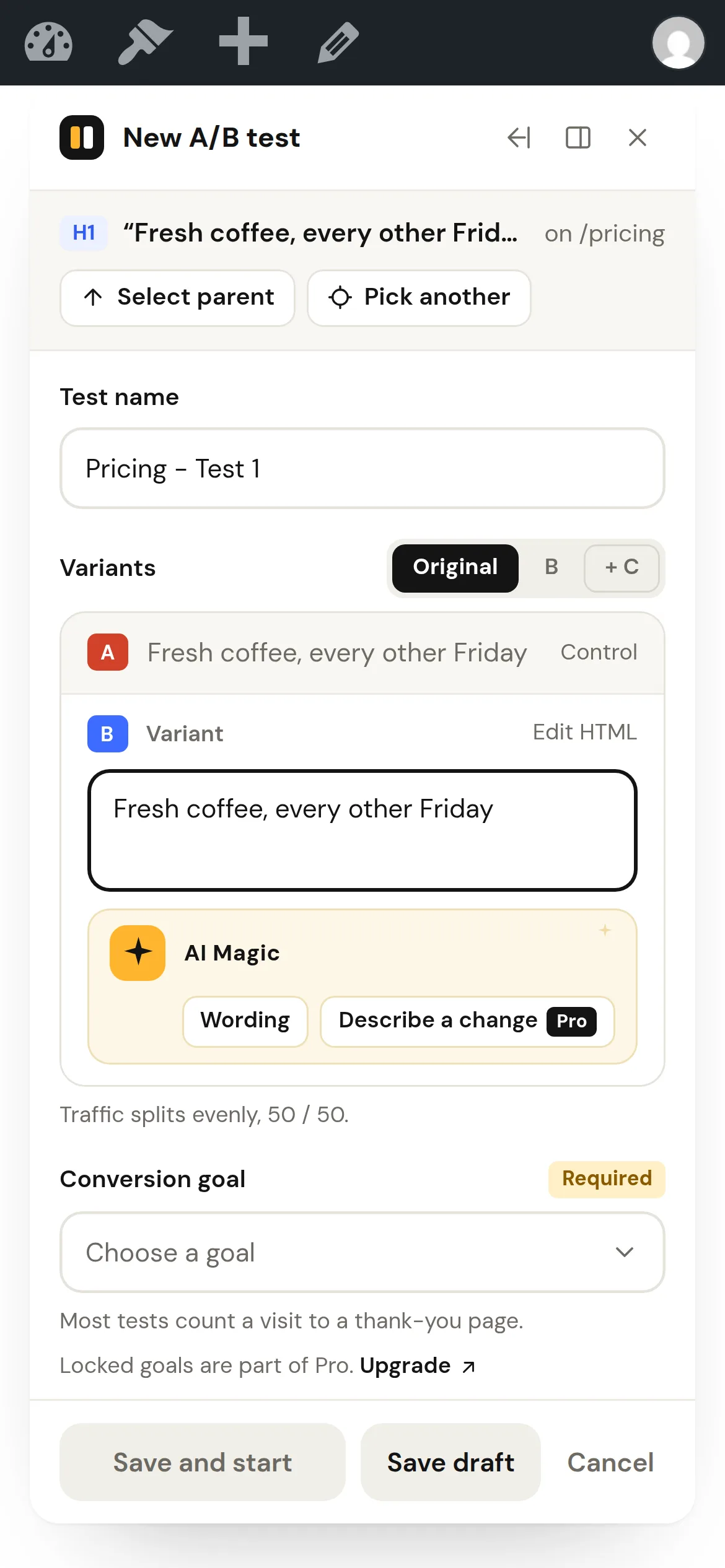
Click "A/B Tests" in the admin bar, click the element, type variants, start. No builder or code. The panel warns when the selection is a large or interactive block.
Full-page URL tests
Split visitors between separate page URLs, with a canonical tag back to the original (or noindex) on same-site variant pages. It also splits across two sites or subdomains, where the variant page's SEO stays in your hands.
AI copy suggestions
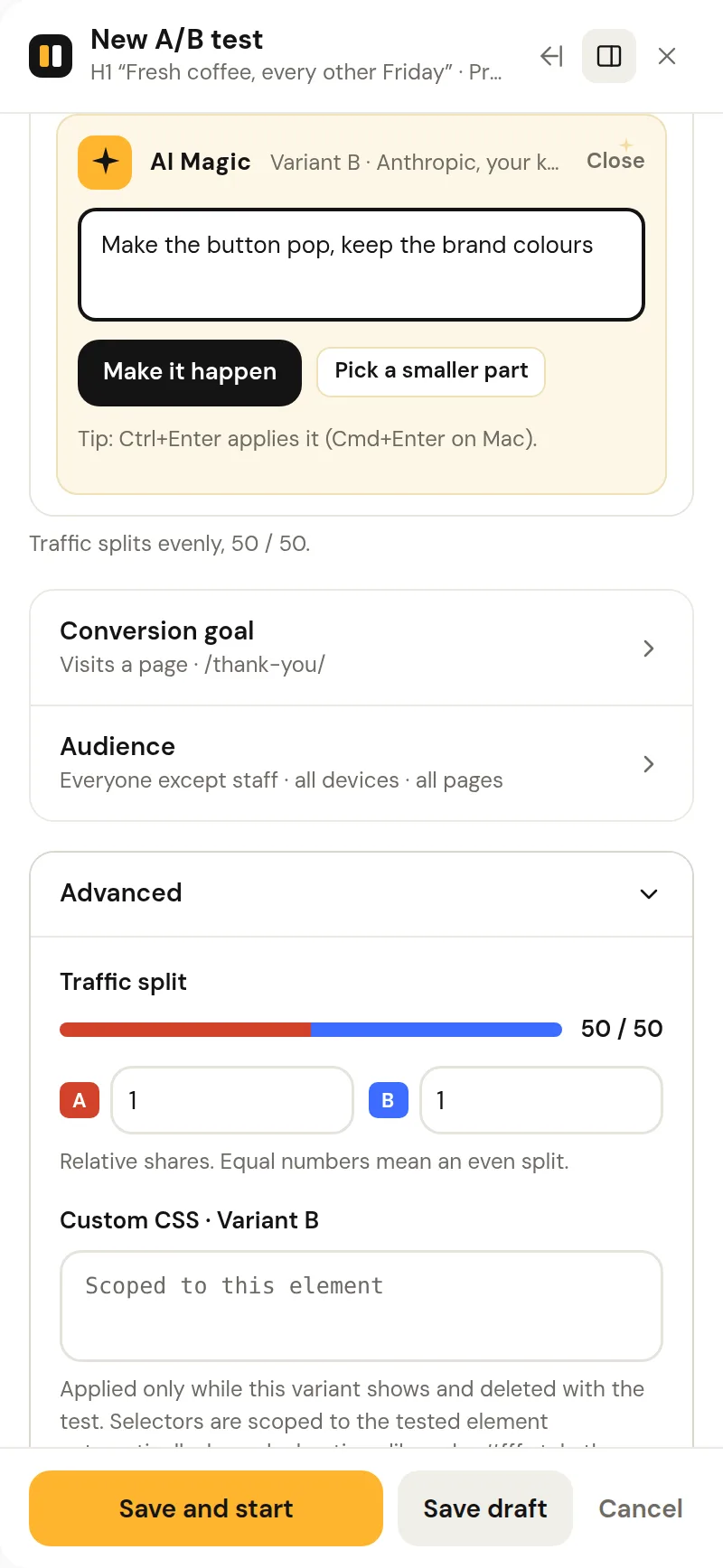
Bring your own OpenAI, Anthropic or Google Gemini key. One-click wording ideas matched to your page, language and length.
Per-variant custom CSS
Auto-scoped to the tested element and deleted with the test.
Import and export
Export any test as JSON and import it on another site: staging to production, client to client. Setup only, never data.
Point-and-click
One panel, on the page you are testing.
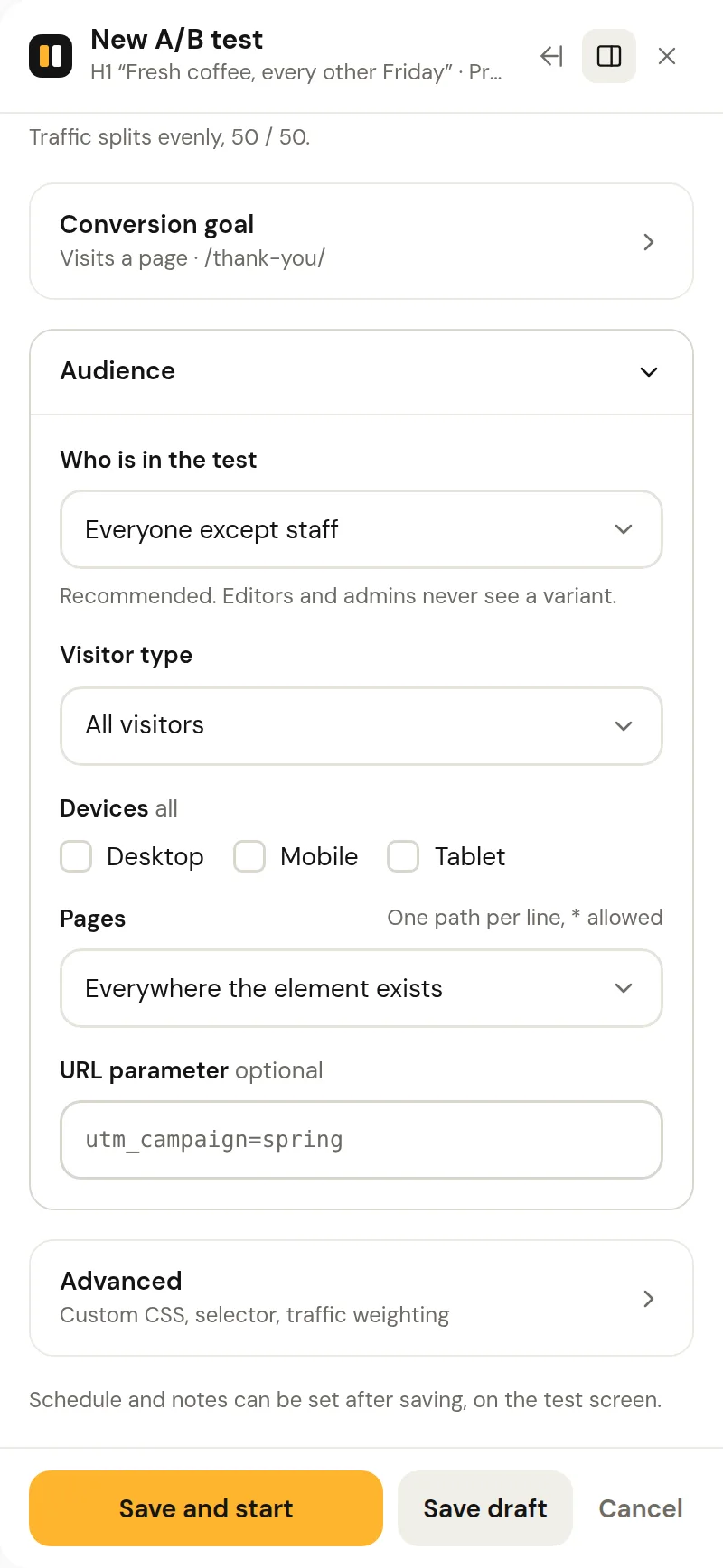
Click an element, type the other version, pick a goal, start. Pro adds audience targeting and AI Magic in the same panel, and the Free plugin stays installed and active.
Builders
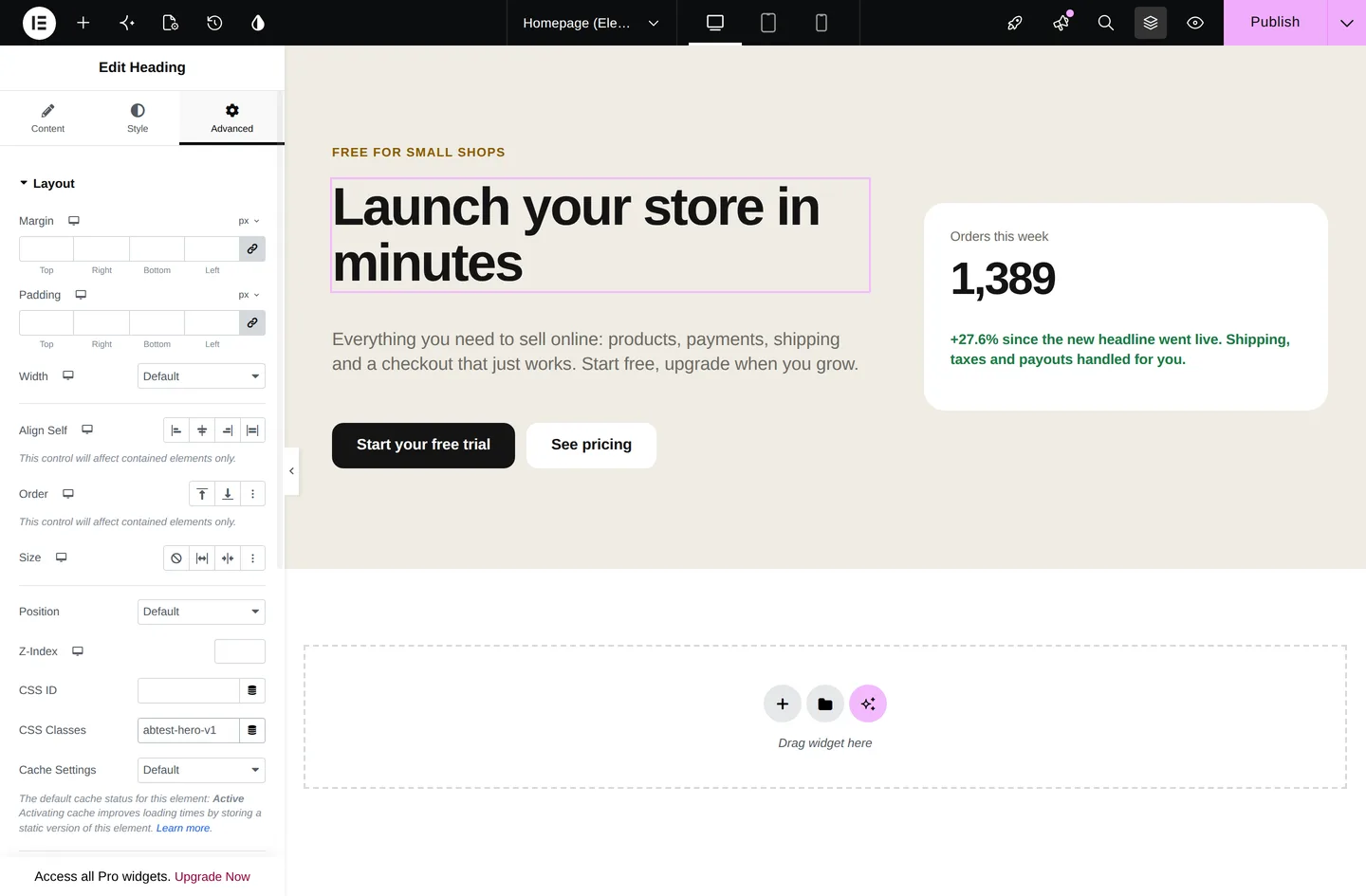
One class. Any builder.
The plugin generates a class for each variant. Paste it into the CSS-class field of Elementor, Bricks, Divi, Gutenberg, Oxygen, Beaver Builder or a classic theme, and every element carrying it is shown or hidden together. A page can carry any number of tests.
abtest-hero-v1
Conversion goals
Page visit, element click, link click, form submission (Contact Form 7, WPForms, Gravity Forms, Fluent Forms, Ninja Forms, Formidable, Forminator, plain HTML forms), WooCommerce add-to-cart.
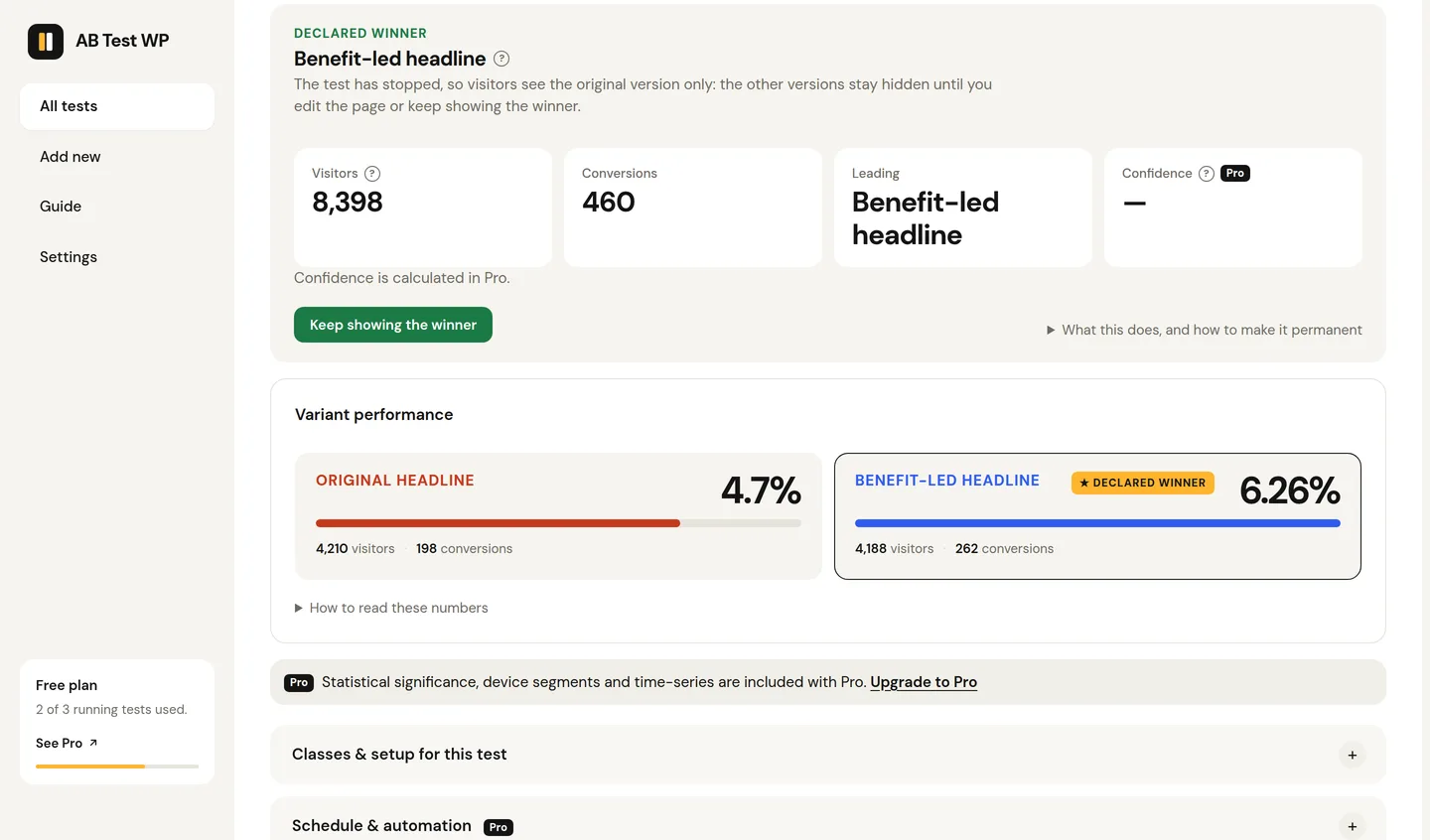
Clear per-variant results
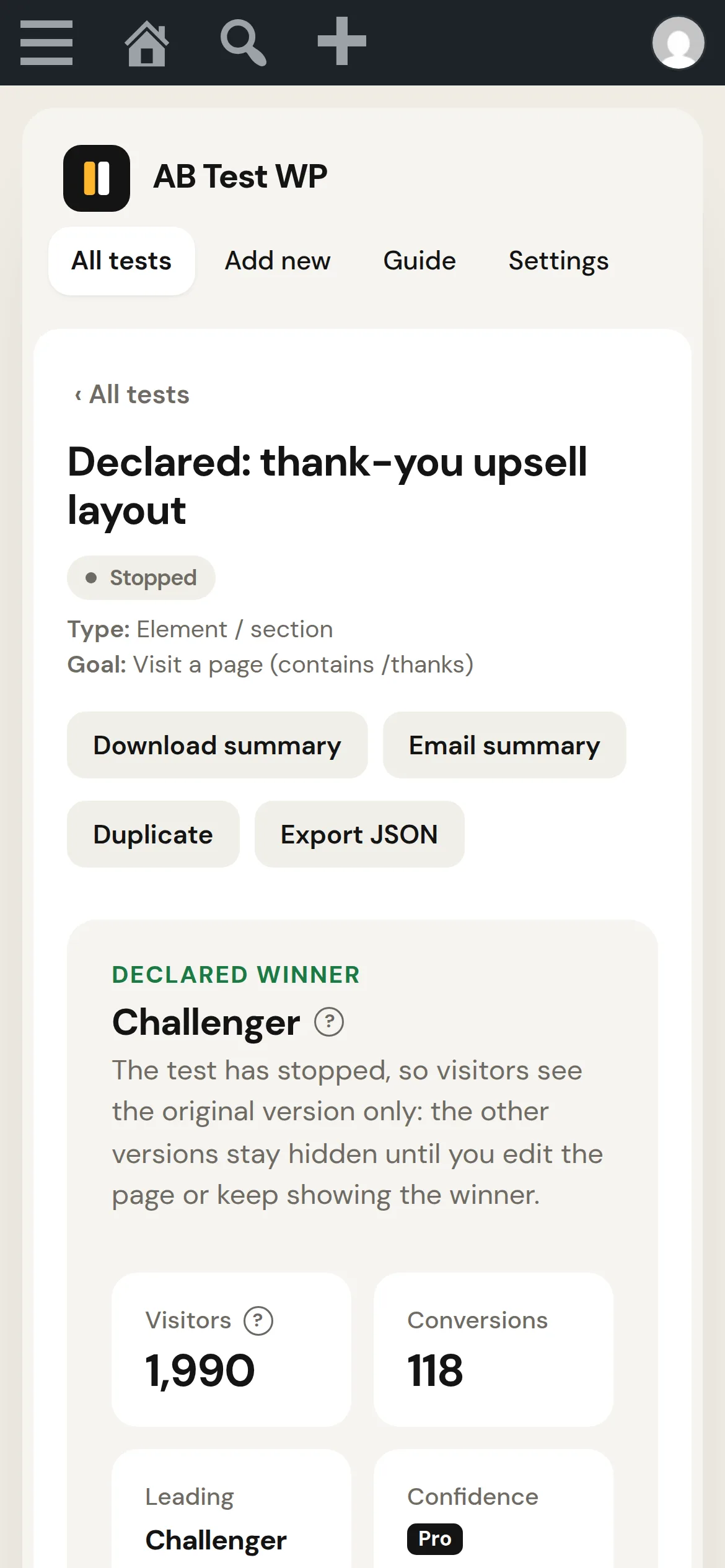
Impressions, conversions, conversion rate, leader highlighted.
Sample-size calculator
Duration guidance in plain language, from the standard two-proportion sample-size formula at 95% confidence and 80% power.
Notes and summaries
A hypothesis on every test; a downloadable or emailable plain-text results summary.
Day to day
Running and managing
Cookieless, cache-friendly, and honest about what changes on a live test.
Flicker-free rendering
Cookieless, cache- and CDN-compatible assignment. Caches are purged when a test starts or stops.
Keep showing the winner
After declaring a winner, one click serves it to 100% of visitors until you've edited the real page.
Safe editing rules
Rename any time; goal or audience changes on live tests require explicit confirmation so data is never mixed.
SEO your way
For URL tests: canonical to the original (the default), noindex, or off so your own SEO plugin's tags apply. Works with Yoast, Rank Math, AIOSEO and SEOPress.
Scannable dashboard
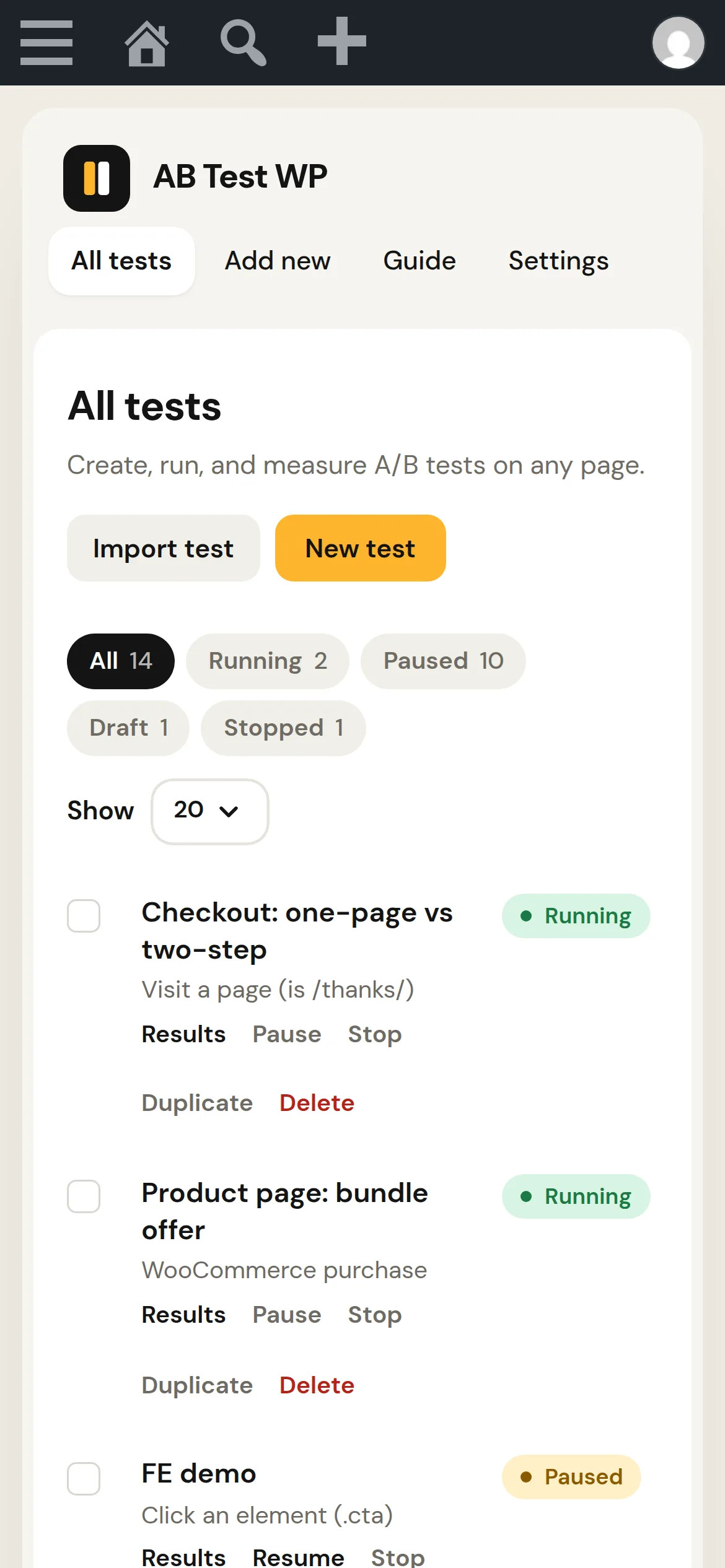
Status filters, pagination, bulk pause, stop and delete, and a wp-admin widget of running tests.
Your data stays yours
No account, nothing sent to us. Uninstall keeps results by default, with an optional clean delete.
On a phone
The admin works at phone width.
Check a running test, read the numbers, or start one on the page you are looking at, without waiting until you are back at a desk.
The paid tier
Pro
Analysis, automation and targeting on top of the free plugin, which stays installed and active.
- Unlimited running testsNo cap on tests running at once.
- A/B/n up to 6 variantsAdded straight from the preview row with one click.
- Advanced goalsScroll depth, time on page, engaged time, WooCommerce purchase with revenue tracking.
- StatisticsSignificance, Bayesian probability-to-beat, uplift confidence intervals.
- SRM detectionCatches broken traffic splits before they mislead you.
- SegmentationDevice tabs and time-series charts.
- TargetingDevice, visitor type, URL parameter, custom traffic weighting.
- Page targetingLimit a test to paths matching a pattern such as /blog/*, or exclude those paths. Element tests already run everywhere their class appears, on both plans.
- AutomationScheduling, automatic winner declaration, email and Slack alerts, weekly digest.
- AI MagicDescribe a change in plain words and it redesigns that variant, copy and styling, scoped to the element, with live preview and undo. Never JavaScript.
- WebhooksSigned JSON POSTs to Zapier, Make, n8n or your own endpoint on every test event.
- Role controls and CSVLet editors or shop managers run tests; export results as CSV.
Roadmap
Coming
On the roadmap, not shipped. Nothing here is available today. Vote or ask: [email protected].
Learnings archive
A searchable library of completed tests with hypothesis, outcome and uplift.
Test templates
Start from proven patterns with the goal and variants pre-filled.
Scheduled reports
A weekly or monthly report with charts per test, sent to people who never open wp-admin.
Multi-step funnel goals
Count a conversion only when a visitor completes a sequence, with drop-off per step.
Personalization rules
Show a segment the variant it prefers, permanently, without running a test.
WP-CLI commands
List, start, stop and export tests from the command line.
Optional GA4 event forwarding
Mirror impressions and conversions into your own GA4. Off by default to preserve the privacy story.
Multivariate testing
Test combinations of several elements at once. Being explored, with no commitment yet.
Be first when it's listed.
The free plugin is on its way to wordpress.org. One email when it is listed, one when Pro goes on sale. Unsubscribe in one click.