Updated July 2026
Key takeaways
- Use a URL split test when the variants differ in too many ways to swap single elements: a rebuilt layout, a new template, a different builder.
- Build the challenger as a normal WordPress page at its own URL and give it the same job as the original.
- Keep it SEO-safe: point the variant's canonical at the original, never show crawlers a different experience, and end the test promptly.
- Pick one goal, size the test, then ship the winner and remove or redirect the loser.
Element test or page test?
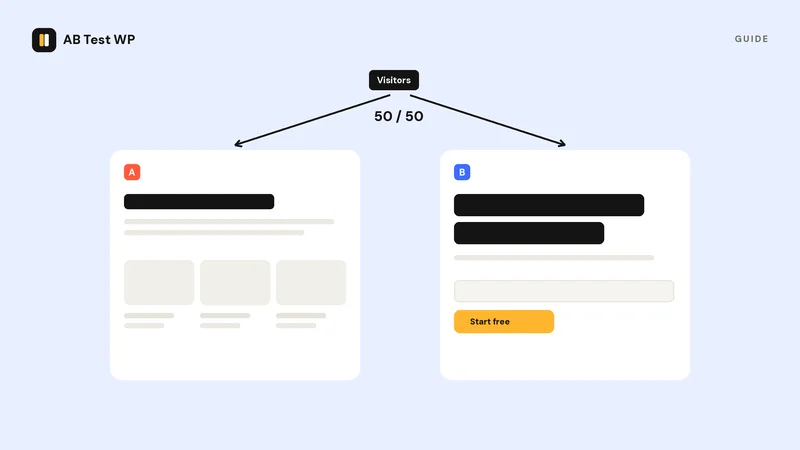
An element test changes one thing on a single page - ideal when you want a clean answer about a specific headline or button. A URL/redirect test (also called a split URL test) instead sends part of your traffic to an entirely separate page. Use it when variants differ in too many ways to swap elements: a rebuilt layout, a different narrative, a new template, or a page made in a different builder. You give up knowing which change mattered, and gain the ability to test a genuinely different approach.
Step 1: Build the challenger page
Create your alternative page as a normal WordPress page at its own URL - for example /pricing-b/ alongside /pricing/. Build it with any editor you like; because the test operates at the URL level, the two pages don't even need to use the same builder. Keep the goal identical: if the original's job is to get clicks on "Start free," the challenger's job is the same, or the comparison means nothing.
Step 2: Create the URL test
In a URL test, the testing tool splits visitors between the two addresses and keeps each visitor on the version they first saw. In AB Test WP (free), you create a test, choose the URL/redirect type, and paste the two page URLs; the plugin handles the split with an automatic redirect and keeps returning visitors consistent - cookielessly, so it works behind caching and CDNs.
Step 3: Keep it SEO-safe
Split URL testing is explicitly fine with search engines when done correctly - Google publishes official guidance on website testing that says exactly how. Three rules keep you safe:
- Canonical to the original. The variant page should declare the original as its canonical URL - Google recommends canonical over noindex for tests - so search engines index one page and you don't compete with yourself. AB Test WP does this by default (noindex, or switching its SEO handling off, are the other two settings) and works with Yoast, Rank Math, AIOSEO, and SEOPress.
- No cloaking. Show search engine crawlers the same experience as visitors - never special-case bots.
- Don't run forever. A test is temporary. When it ends, keep the winner and remove or redirect the loser.
Good to know
Because whole-page variants usually differ boldly, page tests often need less traffic than tiny element tweaks to reach a clear answer - bigger differences are easier to detect. Size the test first with the sample-size calculator.
Step 4: Pick the goal and launch
Choose what counts as a conversion - reaching a thank-you page, clicking a specific element or link, a form submission, or a WooCommerce add to cart (Pro adds scroll depth, time on page, active time, and WooCommerce purchases with revenue). Then launch and leave it alone until you hit your planned sample, running whole weeks so weekday and weekend visitors are both represented.
Step 5: Ship the winner cleanly
When the result is significant, end the test. If the challenger won, you can either point the original URL at the new design (replace its content) or redirect the old URL to the new one with a permanent redirect. Avoid leaving both pages live and competing. Then document the result and line up the next test - page-level wins are usually the biggest wins you'll get, and they compound.
The free AB Test WP plugin runs URL/redirect tests with SEO-safe canonicals, no traffic limits, and no cookies - on any builder or theme. Get notified at launch.
Sources
- Website testing and Google Search, Google Search Central, checked September 2026
- Redirects and Google Search, Google Search Central, checked September 2026
- Canonicalization: consolidate duplicate URLs, Google Search Central, checked September 2026