How it works
A/B testing in WordPress, the simple way.
Create a test, mark the two versions, pick a goal. No external editor, no third-party scripts, and every visitor stays on your server.
Create a test
Add a test in your dashboard and give it a name. AB Test WP generates a CSS class for each variant, and the built-in planner estimates the visitors and days you will need before you start.
What the planner calculates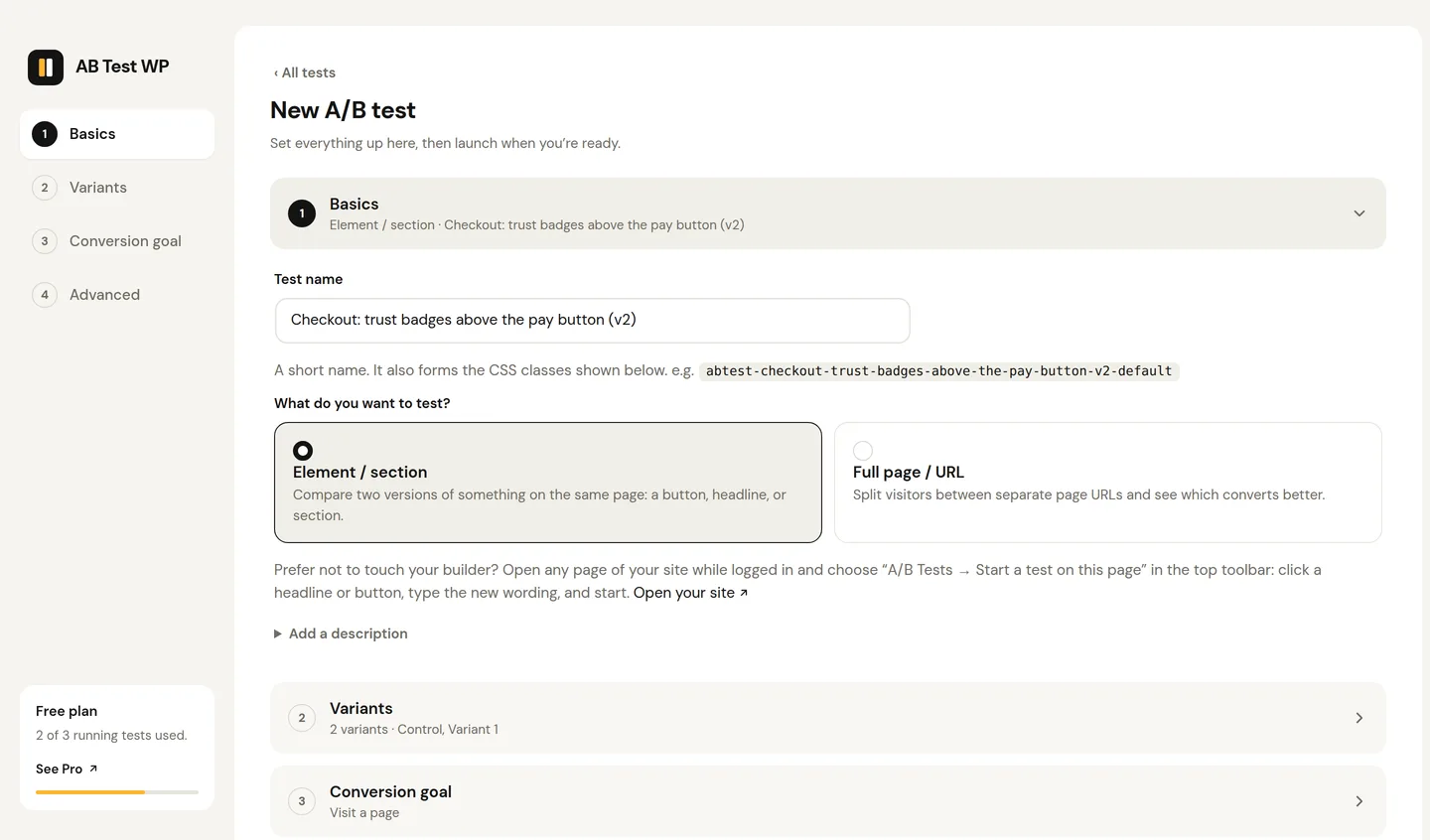
Mark your variants
Open "A/B Tests" in the admin bar, choose "Start a test on this page", click the element, type the second version. Or paste the generated class into your builder; it is the same test either way, in Gutenberg, Elementor, Bricks, Etch or any theme.
Builder-by-builder guides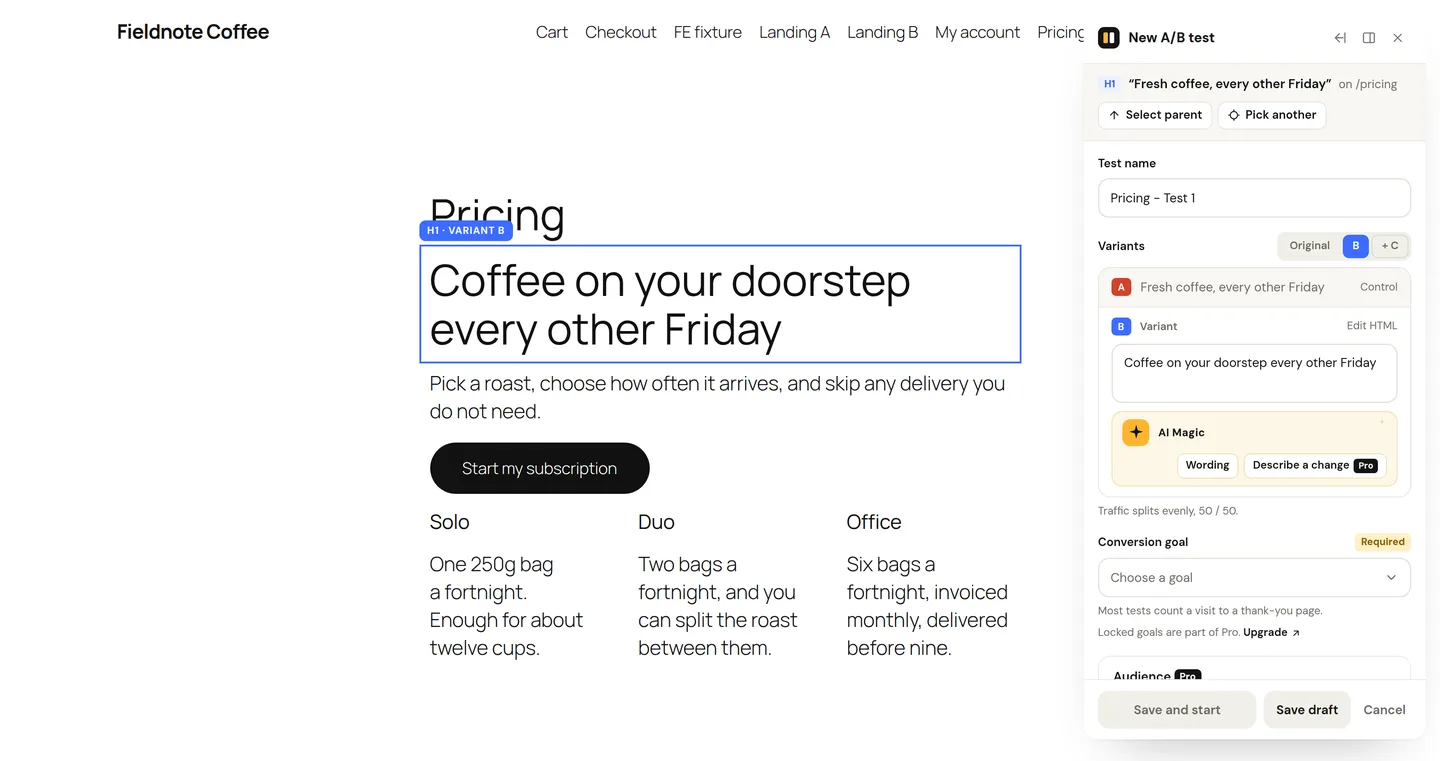
Pick a goal and launch
Choose what counts as a conversion, then start. Visitors are split between variants, kept consistent on return visits, and conversions are recorded first-party in your database. When a winner is clear, keep showing it with one click.
How to read the results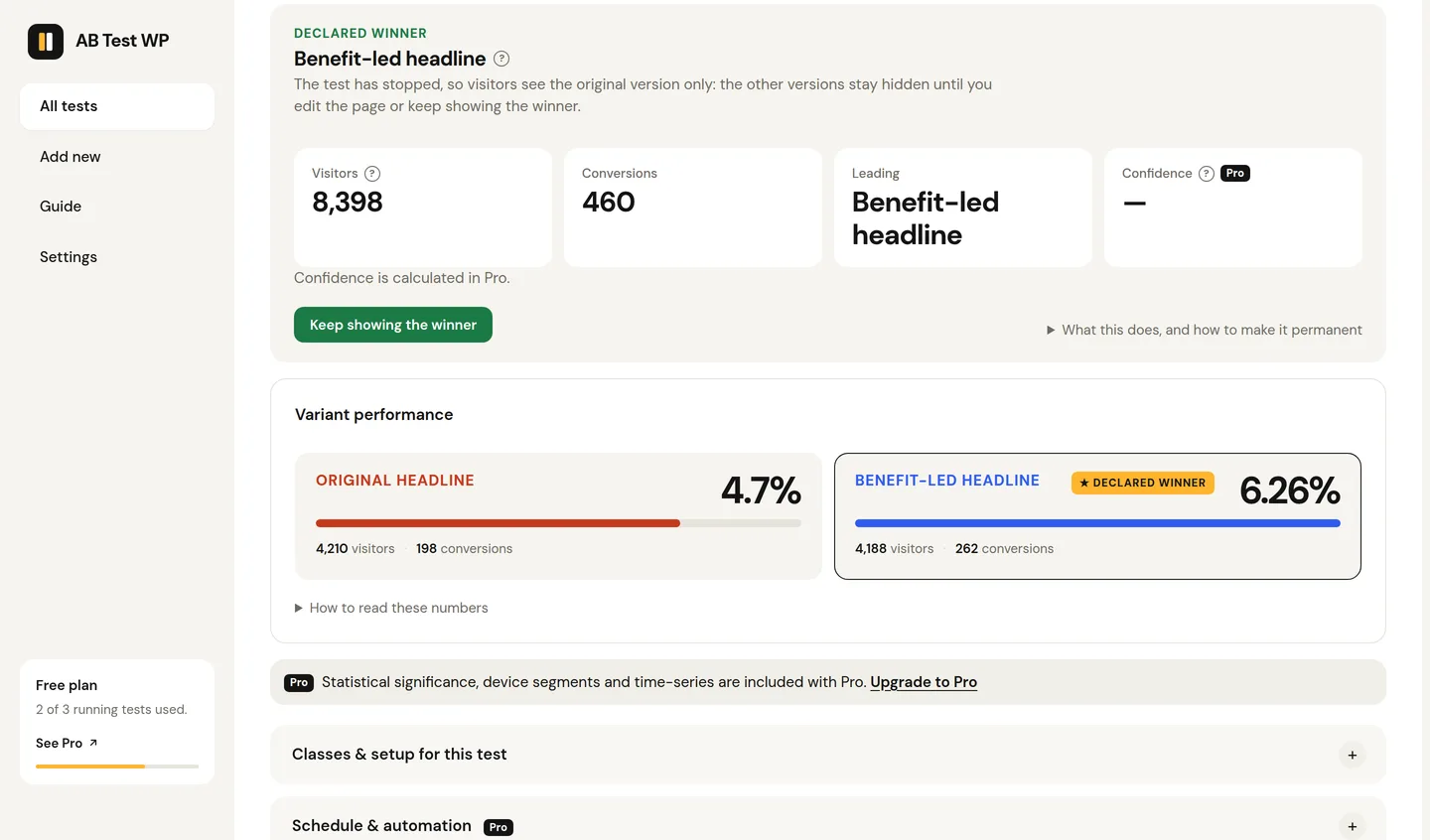
What you can test
Headlines, buttons, sections, pages.
Anything you can click on the page, or two whole URLs.
Headlines and copy
Compare two versions of a headline, subheading or body copy to see which message lands.
Calls to action
Test button text, colour, placement or style and measure clicks and downstream conversions.
Images and layout
Swap hero images, section order or whole layouts to find the most engaging arrangement.
Whole pages
A URL test sends traffic to two completely different page designs.
Pricing and offers
How different offers, layouts or copy affect sign-ups, with one-click AI wording ideas if you want them (your own API key).
WooCommerce Pro
Track purchases and attribute revenue to the variant that earned it.
Your builder
One class field. Every builder has it.
Adding the class is the only step that differs between builders. Each guide is a page long.
Trustworthy results
Four habits that make a result real.
A test only helps when you can believe it.
One change at a time
So you know what caused the difference.
Plan the sample first
Use the built-in planner to set a sample size up front, and aim for several hundred conversions per variant before drawing conclusions.
Run whole weeks
Cover normal weekly cycles rather than stopping the moment a variant looks ahead.
Wait for significance Pro
Pro reports a confidence level and a Bayesian probability-to-beat so you know when a result is solid.
Why a class
Your markup stays yours.
Most WordPress testing tools either lock you into one page builder or load a heavy script that rewrites your page in the browser, which causes flicker and slows things down. A class-based test keeps the markup yours: both versions are already in the page, and the plugin only decides which one to show and records the outcome. Point-and-click tests do swap the text in the browser, but the element stays hidden until the swap is done, so there is no flicker either way. That is what makes it work everywhere, stay fast, and play nicely with caching.
New to this? The free plugin is the best place to start. It includes a complete plain-English guide inside WordPress. Run one real test end to end, then upgrade to Pro when you want more tests, deeper analytics and automation. The step-by-step guide walks through a first test with the statistics included.
Run your first test.
The free plugin is in final testing. Join the waitlist and put a real question to your visitors the week it lands.