Guide
How to A/B test in WordPress (step by step)
A complete, beginner-friendly walkthrough - from a good hypothesis to a result you can trust - using a free, self-hosted plugin that works with any builder.
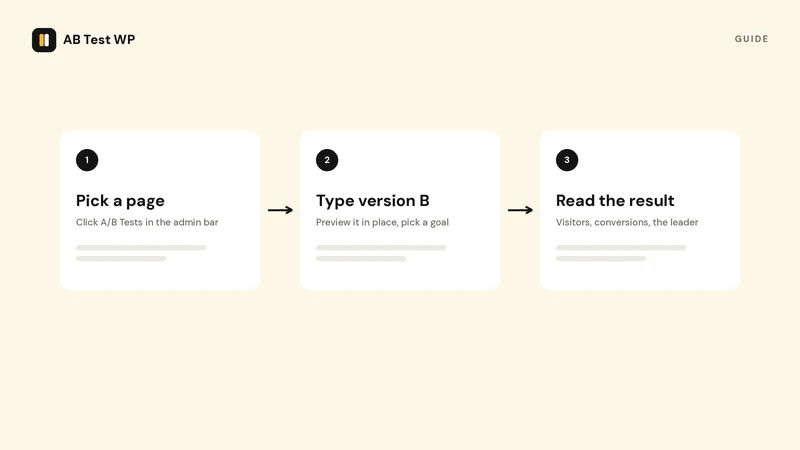
Not released yet AB Test WP is in final testing and is not on wordpress.org yet, so this page describes how it works at release. Join the waitlist and we will email you the day it lands.
A/B testing (also called split testing) means showing two versions of something - a headline, a button, a layout, or a whole page - to different visitors at the same time, then measuring which one better achieves a goal you care about. Done well, it replaces opinions with evidence. This guide shows the full process in WordPress, end to end.
Updated July 2026
Key takeaways
- Start from a written hypothesis with one change and one goal, so any result teaches you something specific.
- Work out the sample size before you build; most pages need tens of thousands of visitors to detect a modest lift.
- Mark the variants with a CSS class in whichever builder you use, pick the goal, then leave the test alone for whole weeks.
- Read the result once, at the planned sample. Stopping at the first significant number produces false winners.
1. Start with a hypothesis, not a hunch
A good test starts with a clear, falsifiable statement: "Changing the hero button from 'Sign up' to 'Start free' will increase sign-ups." Tie every test to one change and one goal, so that whatever happens, you learn something specific.
- Pick one element to change (one variable at a time for a clean read).
- Decide the single metric that defines success - a click, a form submit, a purchase.
- Write down what you expect and why. Future-you will thank you.
2. Size the test before you build it
The most common A/B testing mistake is stopping too early, when an early lead is just noise. Decide up front how much traffic you need. Use the sample-size calculator (or the planner built into AB Test WP): enter your current conversion rate and the smallest improvement worth detecting, and it tells you the visitors and days required.
3. Create the test in your dashboard
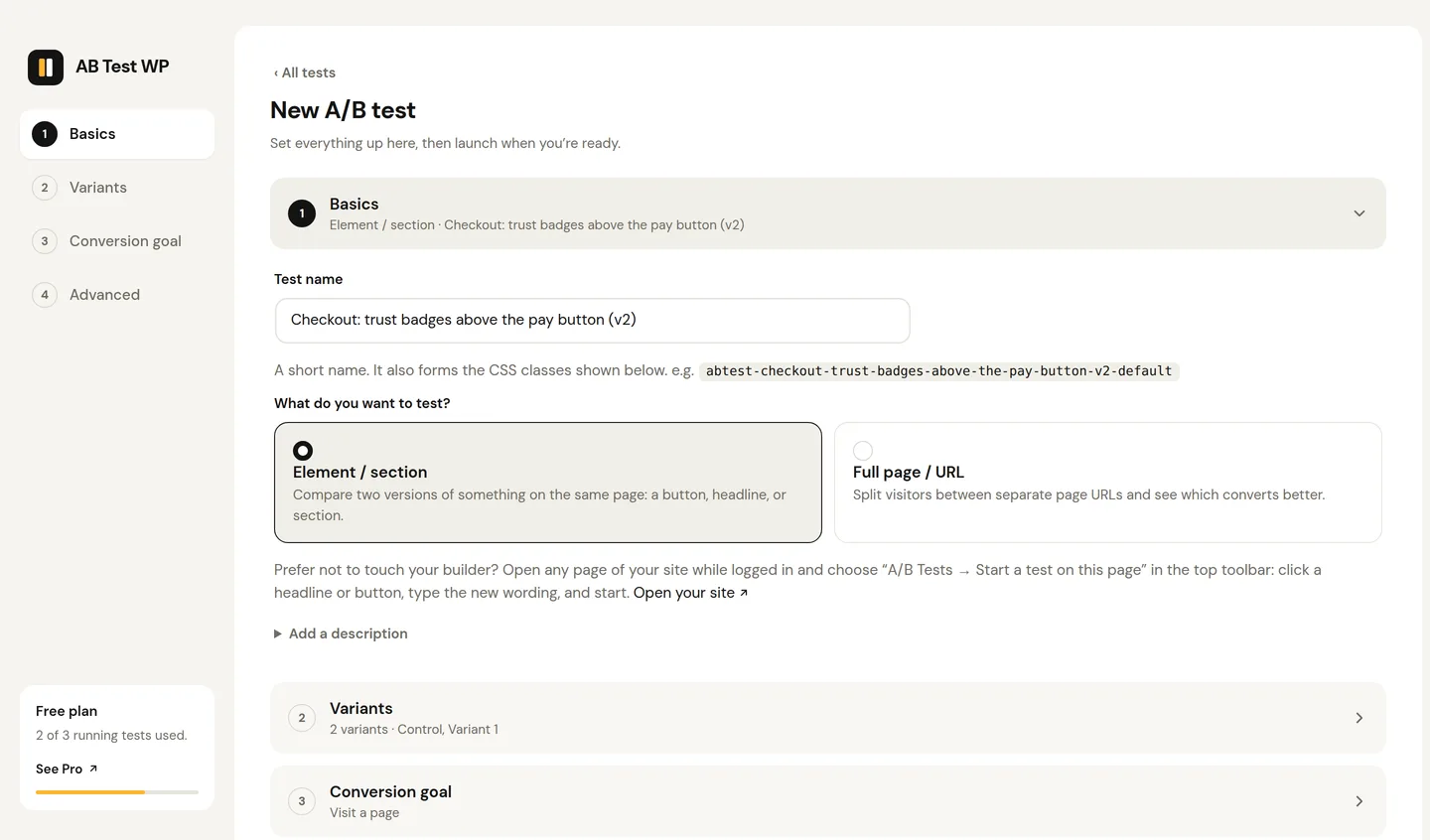
Install the free AB Test WP plugin and create a test. For an element test, the plugin generates a CSS class for each variant - something like .abtest-hero-cta-default and .abtest-hero-cta-v1. For a whole-page test, you'll paste two page URLs instead and it handles an SEO-safe redirect.
4. Mark your variants in any builder
The quickest route is the point-and-click editor: in the admin bar, open “A/B Tests” and choose “Start a test on this page”, click the element, and type your variants. Or work in your builder instead: duplicate the element, then add the variant class to each version in its CSS-class field. The step is the same idea everywhere; we have short guides for Elementor, Bricks, Gutenberg, Divi, and more. Because it's just a class, there's no separate editor and no lock-in.
5. Choose your goal
Pick what counts as a conversion: a page visit (e.g. reaching a thank-you page), an element click, a link click, a form submission, or a WooCommerce add to cart. In Pro you can also measure scroll depth, time on page, active time, or a WooCommerce purchase with revenue.
6. Launch, then leave it alone
Start the test and let it run to the sample size you planned, ideally across full weeks so weekday and weekend behaviour balance out. Resist the urge to peek and call it early. Visitors are split automatically and kept on the same variant when they return, all without cookies.
7. Read the result honestly
When you reach your planned sample, check whether the difference is statistically significant - that the result is unlikely to be chance. Aim for 95% confidence. You can sanity-check any test with the free significance calculator; AB Test WP Pro computes this two-proportion z-test, a Bayesian probability-to-beat, and a sample-ratio-mismatch warning for you automatically.
Rule of thumb
If a result isn't significant at your planned sample size, that's a real finding too: the change probably doesn't matter much. Keep the simpler version and test something bolder next.
8. Ship the winner and test again
Apply the winning variant, document what you learned, and start the next test. Optimization compounds: small, evidence-based wins stack up over months into a meaningfully better site.
Common mistakes to avoid
- Stopping early. Decide the sample size first and wait for it.
- Testing too many things at once. One change per test, or you won't know what worked.
- Ignoring seasonality. Run for whole weeks, not a few hours.
- Chasing tiny effects on low traffic. Small sites should test bold changes that move the needle.

Keep reading
Related guides
Article
Does A/B testing hurt SEO?
Google's four rules for testing, what they mean for element and URL tests, and the settings that keep rankings safe.
Read the article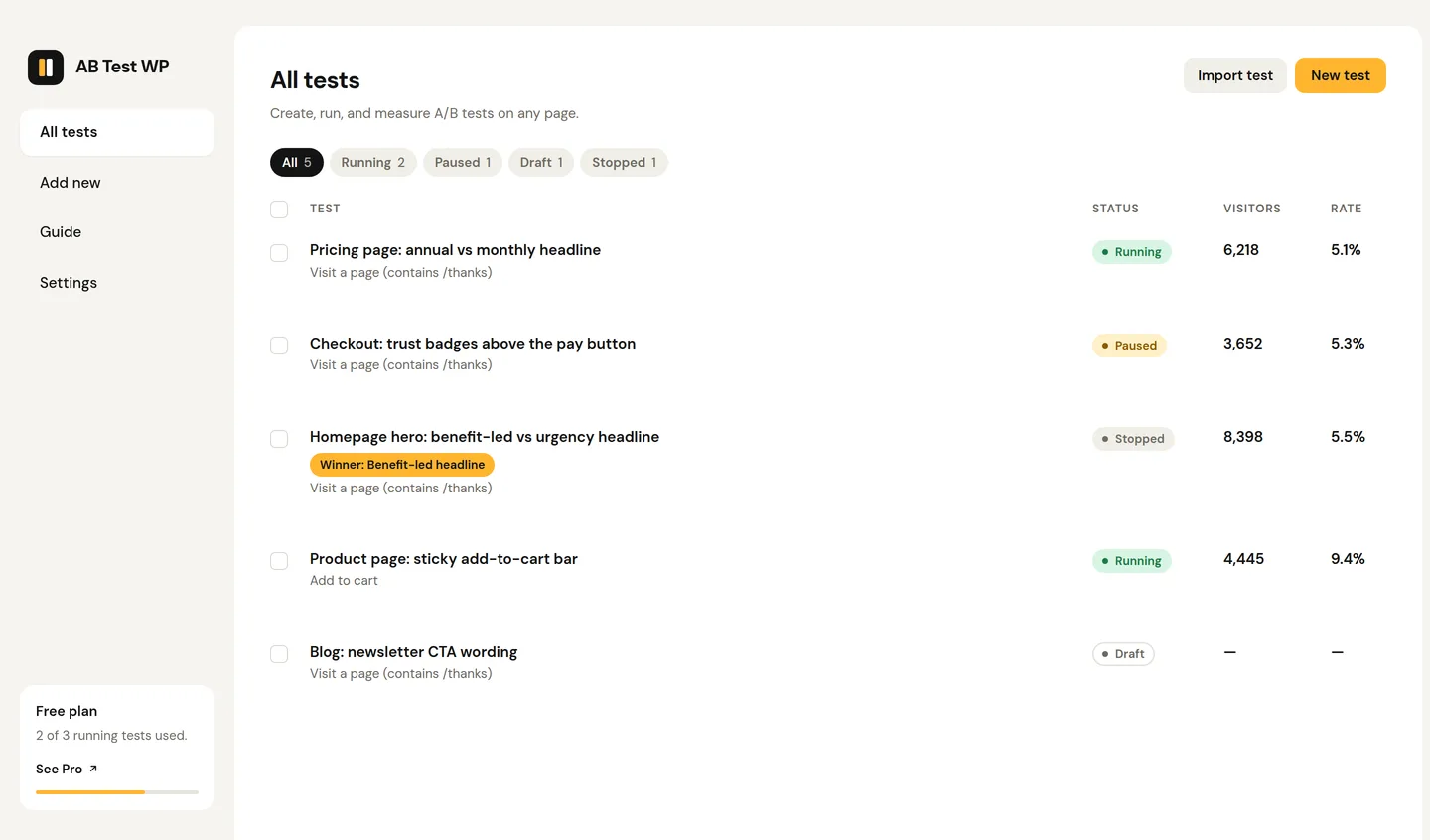
Comparison
Best A/B testing plugins for WordPress in 2026
An honest comparison of the real options - including where each competitor is genuinely the better pick, and how to choose.
Read the comparisonRun your first test today
Free, cookieless, and on your own server - in minutes.